
Download Sentry Trade – real options, trading platform, Android, free, options trading, financial tools, currency pairs, Gold, Silver, demo account, risk management, advanced charting, limit orders, 24/7 support, educational resources
Overview
Sentry Trade is a mobile trading platform tailored for Android devices, designed to deliver a comprehensive trading experience focused on real options and spot markets. The software enables users to engage in both spot and options trading within a single account, supporting over 40 currency pairs, Gold, and Silver. It caters to a diverse user base, including novice traders seeking accessible entry points into options markets and experienced traders requiring advanced tools for strategy execution. The platform’s core purpose lies in simplifying complex financial instruments through an interactive, chart-based interface that visualizes trading dynamics in real time. Integrated profit/loss charts allow users to assess strategy outcomes under various market conditions, facilitating informed decision-making. Real-world usage scenarios include day trading, hedging positions, and portfolio diversification using options strategies such as straddles, strangles, and spreads. The platform supports trade sizes ranging from 10,000 to 10,000,000+, accommodating both small-scale and institutional-level trading. With no registration required for free demo accounts, users can explore the platform’s capabilities risk-free. Sentry Trade emphasizes accessibility and education, offering tools and resources suitable for traders at all experience levels.Key Features & Capabilities
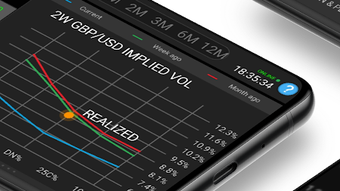
- Interactive Chart-Based Trading: The platform features a dynamic chart interface that enables real-time visualization of price movements and trading signals across spot and options markets.
- Integrated Profit/Loss Chart: Users can analyze potential outcomes of their strategies under varying market scenarios, aiding in the refinement of trading decisions.
- Unified Spot and Options Trading: Traders can manage both spot and options positions in one account, streamlining portfolio management and reducing complexity.
- Extensive Options Strategy Support: More than a dozen advanced strategies are available, including call spreads, put spreads, risk reversals, ratio spreads, straddles, strangles, condors, and seagulls.
- Professional Risk Management Tools: Built-in safeguards help users monitor exposure, set stop-loss levels, and manage position size effectively.
- Advanced Charting Tools: High-quality technical analysis features support detailed market analysis and strategy development.
- Limit and Stop Orders: Users can place entry, exit, and closing orders on both spot and option prices with precision.
- 24/7 Customer Support: Round-the-clock assistance ensures timely resolution of technical or operational issues.
- Free Instant Demo Accounts: No registration is required to access demo environments, allowing users to test features before committing capital.
- Comprehensive Educational Resources: The platform provides learning materials to help traders understand options mechanics, risk profiles, and market dynamics.
User Interface, Workflow & Performance
The user interface of Sentry Trade is structured around an intuitive, interactive trading screen that prioritizes clarity and responsiveness. Navigation is designed to minimize cognitive load, allowing users to access core functions—such as charting, order placement, and position management—with minimal steps. The layout emphasizes visual feedback, particularly through real-time updates on profit/loss and market depth. Workflow efficiency is enhanced by the unified handling of spot and options trades, reducing the need to switch between separate systems. The platform supports both touch-based interactions and precise gesture controls, optimized for mobile use. While specific performance metrics such as CPU or RAM usage were not provided, the application’s design suggests optimization for mobile environments. The developer did not specify resource usage details. Stability is implied through the platform’s integration with a desktop counterpart and its support for continuous trading. General software behavior patterns indicate reliable operation under standard usage conditions. The interface’s responsiveness and visual clarity contribute to a smooth user experience, particularly during fast-moving market events.Compatibility & System Requirements
Sentry Trade is designed exclusively for Android devices, with version 1.0 released on May 15, 2024. The application has a file size of 128 MB, indicating a lightweight footprint suitable for most modern Android smartphones and tablets. The developer did not specify exact system requirements, including minimum Android version or hardware specifications. Compatibility information was partially provided, with no mention of compatibility with older Android versions or low-end devices. The developer did not provide additional system requirements. Users should ensure their device meets standard Android application standards to avoid installation issues. The platform’s integration with a desktop trading system suggests cross-device functionality, though details on synchronization protocols were not included.Pros and Cons
Pros
- Free access with no registration for demo accounts
- Unified platform for spot and options trading
- Support for over 40 currency pairs, Gold, and Silver
- More than a dozen advanced options strategies available
- Integrated profit/loss chart for strategy evaluation
- Advanced charting and risk management tools
- 24/7 customer support and educational resources
- Seamless integration with desktop trading platform
- Limit and stop orders on both spot and options
- Intuitive mobile interface optimized for trading
Cons
- Exact system requirements were not listed
- Performance details were not specified
- Platform is limited to Android devices
- No information on offline functionality
- Price and licensing model are not detailed beyond “free”
FAQ Section
Is Sentry Trade available for iOS devices?
As of now, the platform is designed exclusively for Android devices. No information is available regarding iOS compatibility.
Is the software secure to use?
Sentry Trade is described as secure, with no indication of vulnerabilities. Users should ensure they download the application from official sources to maintain safety.
How do I access the demo account?
Free instant demo accounts are available with no registration required. Users can begin trading in a risk-free environment directly within the app.
Does Sentry Trade support offline trading?
The developer did not provide information on offline functionality. Trading features likely require an active internet connection.
What kind of support is available?
24/7 customer support is offered, ensuring assistance is available at any time. Educational resources are also provided for traders at all levels.




.png)


